TRACK3D RACE PLANNER
Plan the race before you run it.
Turn your course into a practical ultramarathon race plan with checkpoints, Course-Aware Pacing, cutoffs, planned stops and race day reports.
- GPX or Course Library
- Checkpoints & cutoffs
- Course-Aware Pacing
- Race day reports
ONE CONNECTED RACE PLAN
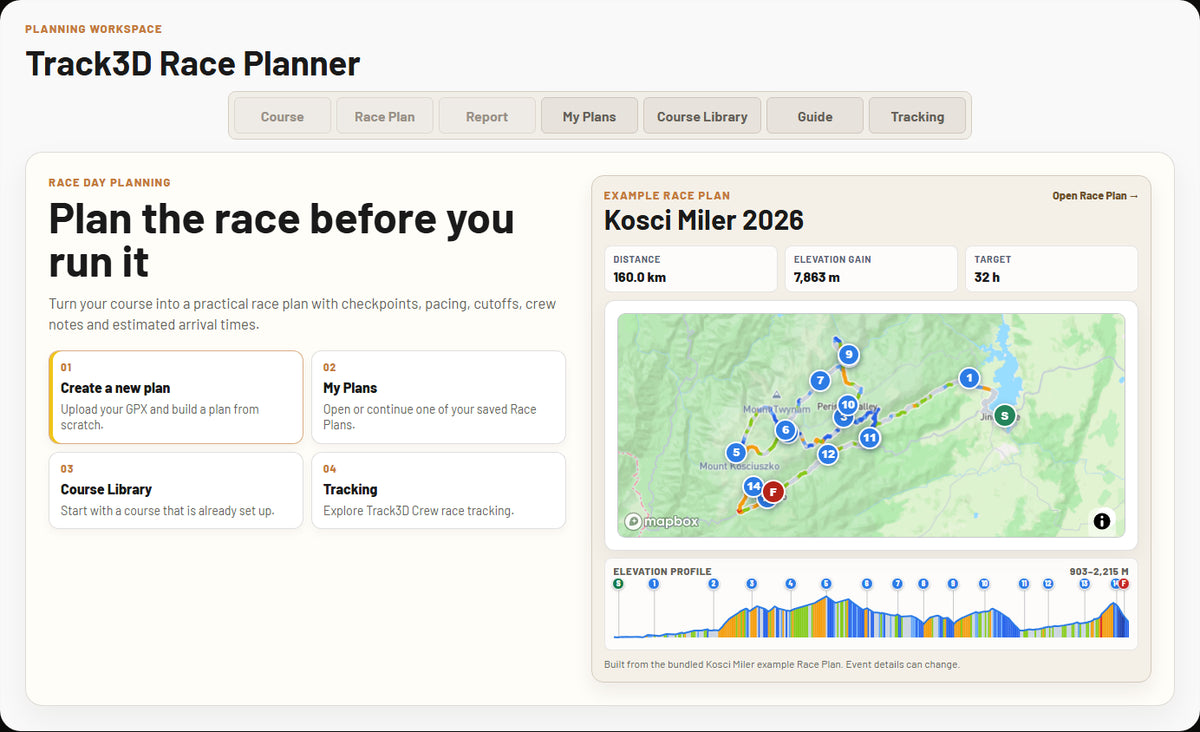
Course, checkpoints, pacing and race day in one place.
Race day is more than distance divided by time. Track3D connects the route, elevation, checkpoints, cutoffs, planned stops and timing so you can see how the whole race fits together before you start.
HOW IT WORKS
From GPX to a race day plan
Start with the course. Build the checkpoint operations. Turn your Finish target into section timing. Then take the plan with you.
COURSE
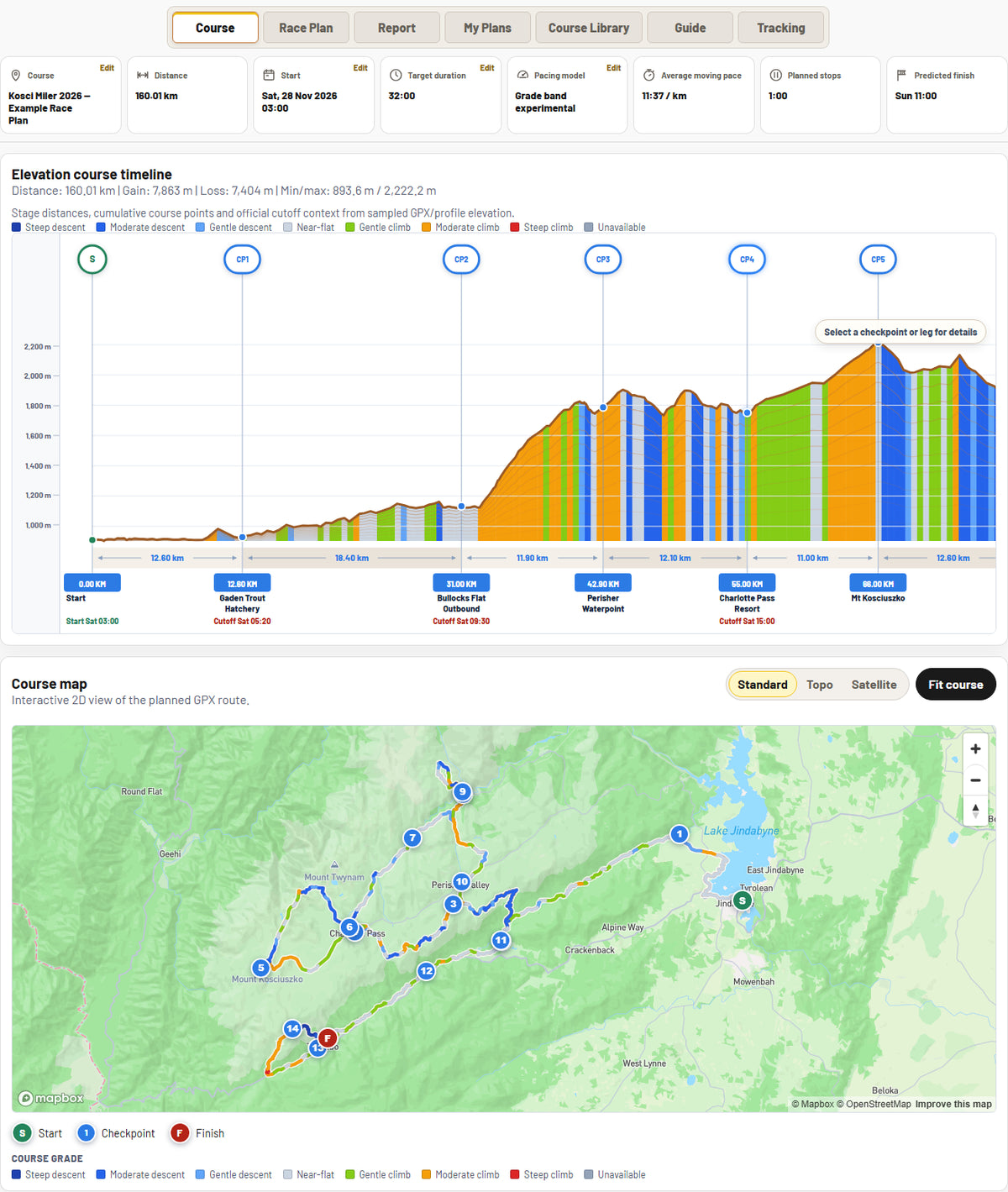
Understand the whole course first.
Upload your GPX or start from the Track3D Course Library. Review the route, elevation profile, grade context and checkpoint positions together before building the race schedule.
CHECKPOINTS
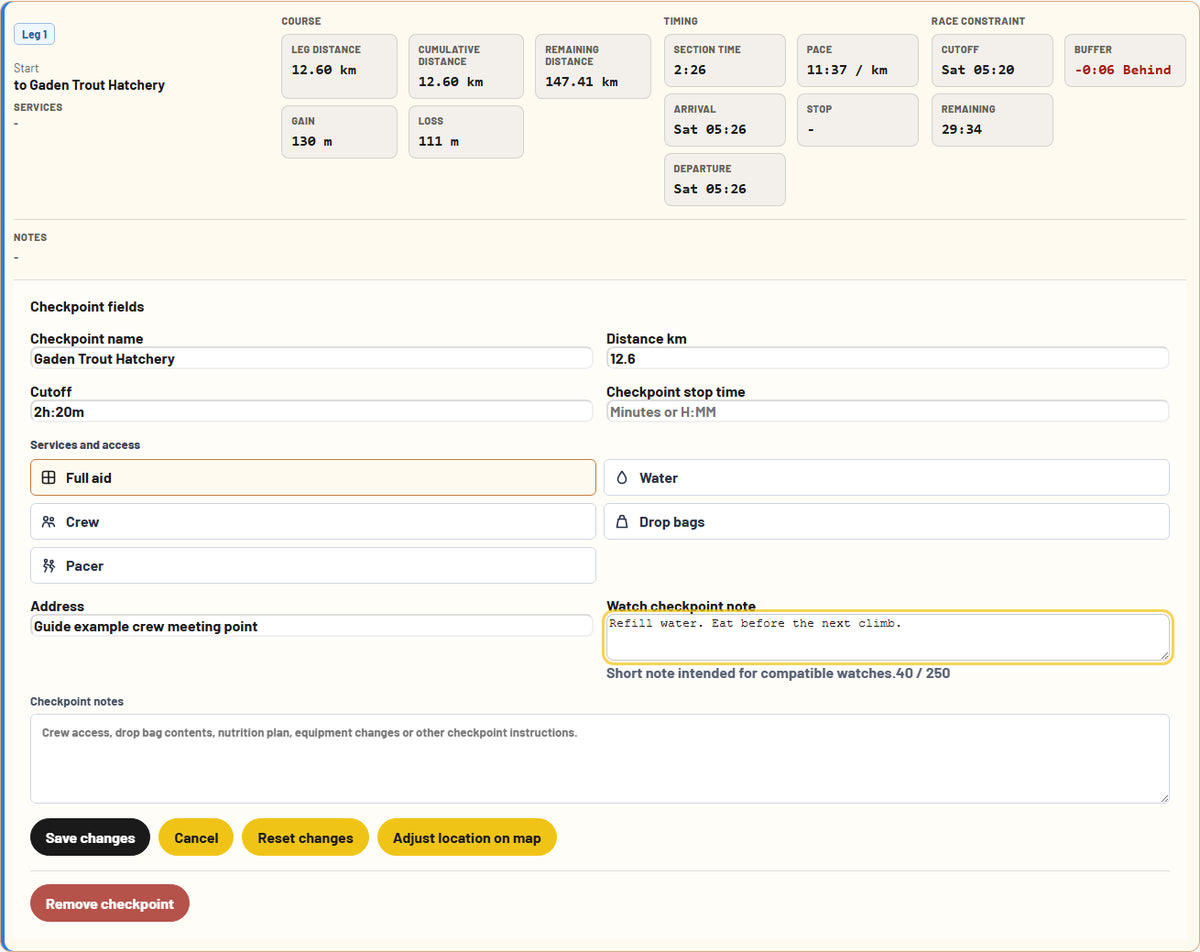
Build the checkpoint plan.
Add aid stations and checkpoints, official elapsed cutoffs, planned stops, services, crew access and practical race day notes. Each checkpoint stays connected to its position on the course.
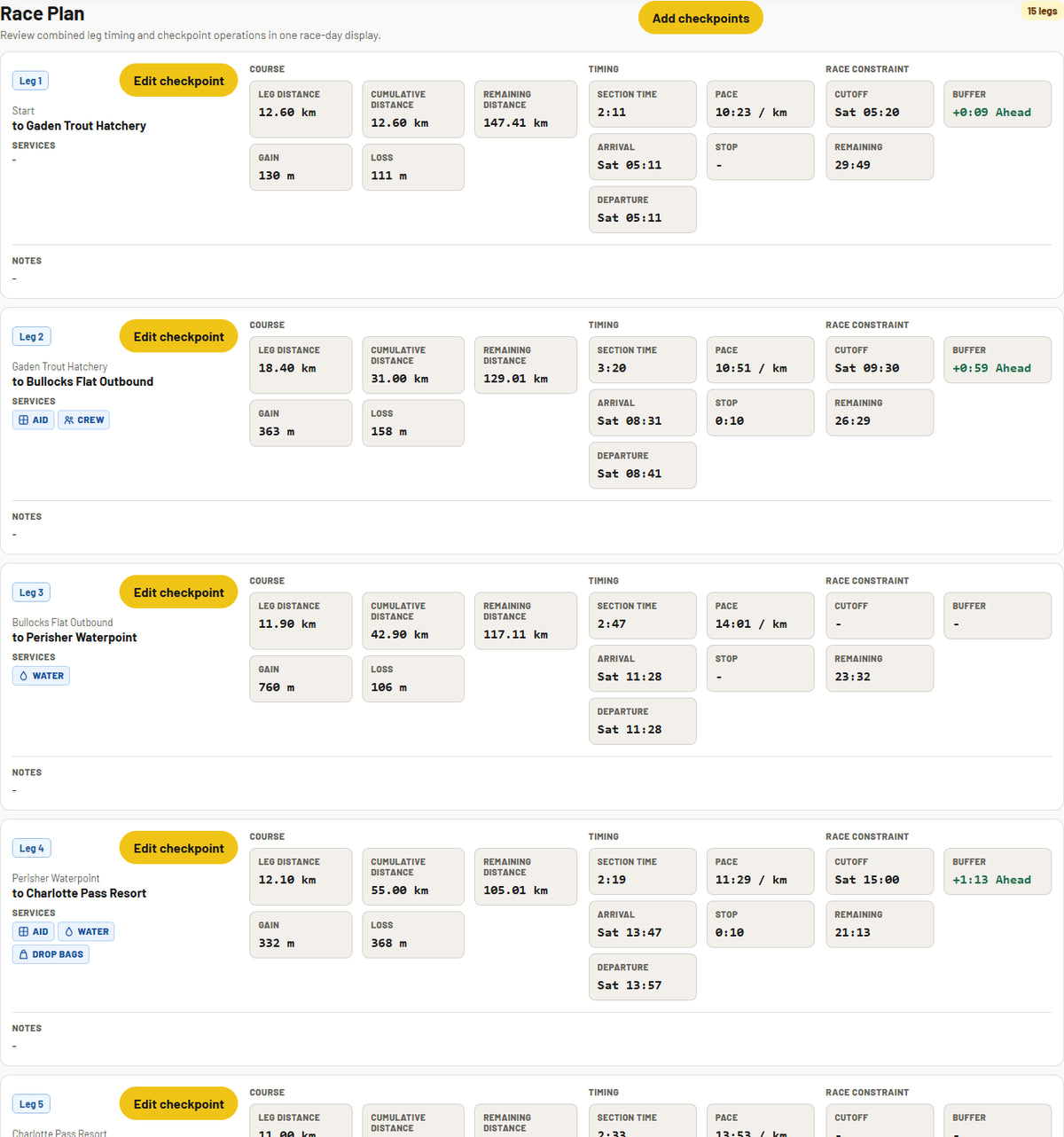
RACE PLAN
See the schedule before race day.
You choose the Finish target. Track3D builds the timing plan across the ordered course, showing section pace and time, checkpoint arrival, planned stop, departure, cutoff buffer and remaining race time.
REPORTS
Plan it on screen. Take it to race day.
Generate a Full Race Plan for detailed course, checkpoint, timing and crew information, or a compact Runner Summary for the checkpoint information you want to carry during the race.

TRACK3D COURSE-AWARE PACING
You set the Finish target. Track3D shapes the schedule around the course.
For courses of 50 km or longer, Course-Aware Pacing can use available verified course characteristics, race order, planned stops and configured cutoffs to distribute the required moving time section by section. It does not choose your Finish target.
How Course-Aware Pacing works
FROM PLAN TO RACE DAY
The plan continues into Track3D Crew.
Your Race Plan provides the course, checkpoint and timing context Track3D Crew can use on race day. Live runner observations can then be matched to the course to show race progress, the next checkpoint and Adaptive ETA rather than just a GPS dot.
From Race Plan to race day
Track3D Crew for iPhone and the Track3D Garmin Connect IQ Data Field are implemented and tested, with public App Store and Garmin Store publication still pending.
READY TO START?
Build your Race Plan.
Start with your own GPX or choose a prepared course from the Track3D Course Library.